Creator tools / In-game Level Editor
Map Creator
MCP.
Your agent. Your map. Build together.
Ask an AI assistant to inspect your arena, place an assembly, repeat cover into a grid or frame a screenshot. Watch its changes in the editor as they happen.
01 / Connection
Set it up once.
Use an agent that can launch a local stdio MCP server on the computer running Killrun. The Python process connects to the installed mod through local files. There is no server URL or port to enter.
Install Python 3.10 or newer first. On Linux, your distribution may also require its Python venv package. In Steam, open Killrun → Properties → Installed Files → Browse, then find Killrun/Binaries/Win64/ue4ss/Mods/KillrunMP.
1Enable the editor connection
Close Killrun. Run these commands in your terminal. The setup prints a client configuration with your absolute paths; keep it for clients that accept JSON.
Choose your environment and mod folder to generate the setup commands.2Connect your agent
Choose an agent to generate its connection settings.3Open your arena
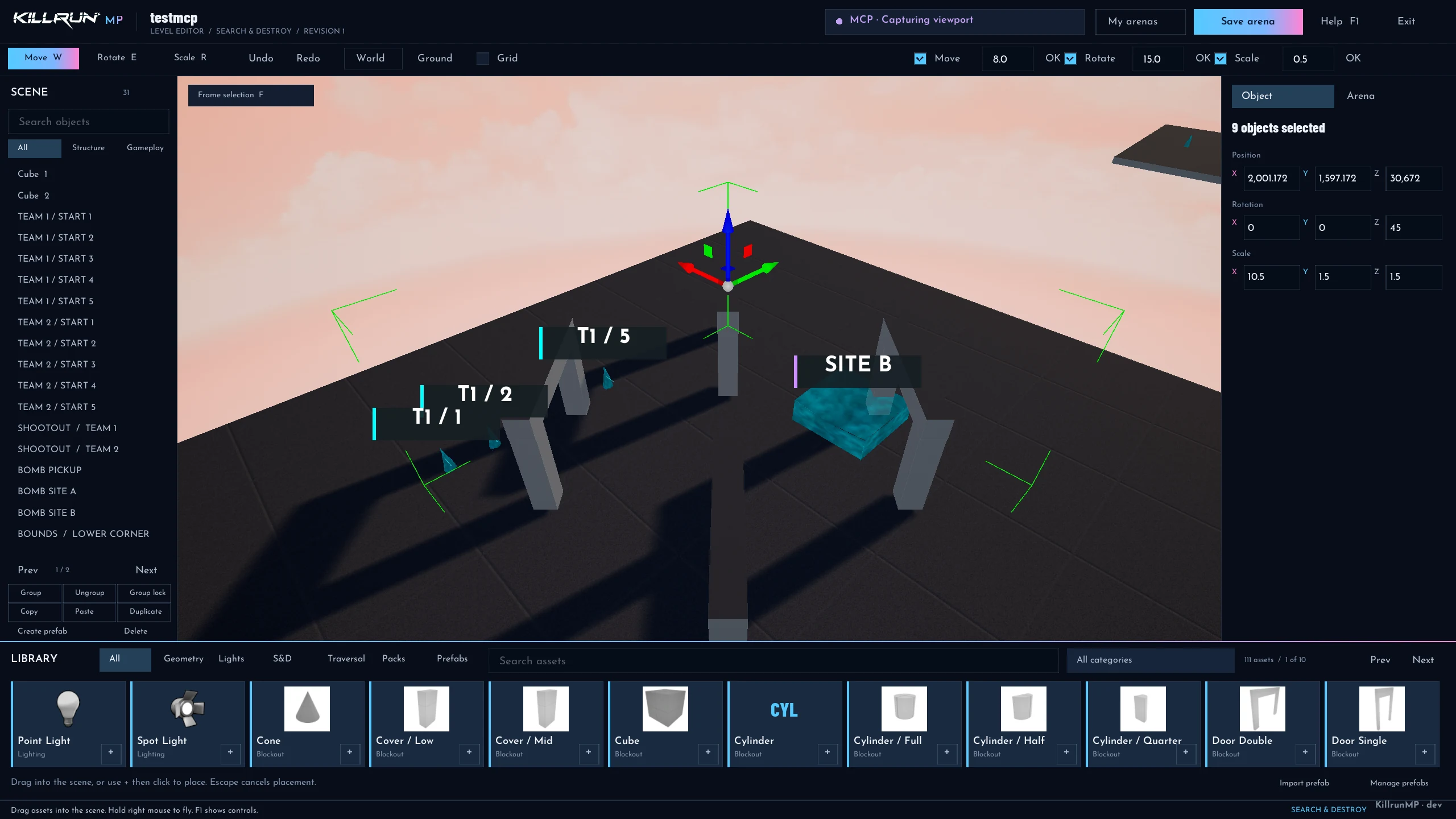
Start Killrun, open Level Editor and create or load an arena. Close editor dialogs. Connect one agent session and ask it to read editor_get_context. The MCP badge changes from Waiting for agent to Agent connected.
Let the client start the Python server. Running server.py in a terminal by itself does not open a web interface.
02 / Your first session
Give the agent a clear brief.
Start with a small, visible change. Mention the area it may edit, the space players need and whether it should save.
Use the killrun-editor MCP tools in my open Level Editor.
Read the context, constraints and relevant assets first.
Inspect the scene and keep existing objects intact.
Build a small three-piece doorway in a clear area, group it,
then frame it and take a screenshot. Use the returned object IDs.
Do not save or export until I ask. Stop if the scene changes
or an edit fails; inspect what actually happened before continuing.
The agent needs image support to interpret screenshot results. You still control the editor: if you change the scene between its read and edit, the outdated request is rejected. Keep the game rendering for viewport captures.
03 / Reference
All 15 tools.
Names below are the server’s tool names. Your client may add a prefix such as killrun-editor. Camera and edit calls require the latest expected_revision.
| Tool | What it does / main arguments |
|---|---|
editor_get_context | Availability, map, scene revision, dirty state and camera. Also works outside the editor to report that it is unavailable. |
editor_get_constraints | Units, count limits, required markers, traversal rules and unsupported features. |
editor_list_assets | Live library and placement availability. Filter with query / category; page with offset / limit. |
editor_get_scene | Objects, transforms, properties and full group membership. Filters: ids, query, kind, group, selected. Paginated. |
editor_edit | Up to 32 sequential actions: place, transform, transform_group, parameters, duplicate, delete, group, ungroup, ground, rename, undo and redo. Supports named references, focus_ids and dry_run. |
editor_place_group | Place named objects around a world origin, with optional yaw. Group and frame them in the same call. |
editor_repeat_objects | Copy ids at explicit offsets or into a grid. Optional grouping of new copies and camera focus. |
editor_transform_group | Preserve spacing while applying translation, world-Z yaw and uniform scale factor around a shared pivot. |
editor_select | Select explicit ids. Include all members of a locked group. |
editor_set_camera | Set absolute position and rotation of the editor camera. |
editor_frame_objects | Select ids and frame them with the native editor camera action. |
editor_screenshot | PNG viewport capture and scene context. show_ui defaults to true. The OS hardware cursor is excluded. |
editor_validate | Run the same map validator used by Save. Reports the first blocking issue; does not simulate gameplay. |
editor_save | Validate and save the arena in the mod’s maps directory. |
editor_export | Validate, save and export through the editor’s normal export path. Export also saves. |
04 / Efficient editing
Build assemblies, not one block per request.
Place → group → frame
Use editor_place_group for a doorway, cover cluster or other assembly. Piece positions are local offsets from origin. Optional names become references in the reply. Grouping and camera framing default to enabled.
For repeated assemblies, use a grid or custom offsets. Grid counts include the original cell, which is skipped. Every offset is measured from the source selection, not the previous copy.
Keep the geometry together
Use editor_transform_group for a shared move, yaw rotation or uniform scale. Its default pivot is the mean of object origins. Ordinary transform values are absolute and apply separately to each object.
Keep full locked groups selected. The scene response lists their members. Read the actual resulting transforms: placement uses the editor’s current move snapping.
Reuse IDs inside the same batch
Set ref on a place or duplicate action, then use @name in later ids. A duplicate reference expands to all objects it created. The response returns real IDs, actual transforms and the next scene revision.
{
  "expected_revision": "<current scene revision>",
  "actions": [
    {"op": "place", "ref": "first", "asset_id": "<live cube asset ID>",
     "position": {"x": 0, "y": 0, "z": 30300}},
    {"op": "duplicate", "ref": "second", "ids": ["@first"],
     "offset": {"x": 400, "y": 0, "z": 0}},
    {"op": "group", "ids": ["@first", "@second"]}
  ],
  "focus_ids": ["@first", "@second"],
  "dry_run": true
}
dry_run: true checks the plan without creating objects. Once the plan is accepted, use false to apply it with the current revision. A dry run cannot prove native execution, final snapping or collision clearance.
05 / In the editor
Know what your agent is doing.
| Badge | Meaning |
|---|---|
| Off | MCP is disabled. |
| Waiting | Waiting for an agent or for an open arena without a blocking dialog. |
| Connected | An MCP server owns this editor session, or its latest request completed. This does not mean the model is constantly making changes. |
| Working | Reading, checking a batch, editing, moving the camera, validating, saving or exporting. The label names the operation. |
| Capturing viewport | Preparing an editor screenshot. |
| Request failed | Inspect the tool’s error. The bridge does not automatically repeat mutations. |
Scope & limits
- Available only in the Level Editor. No gameplay control, console execution, arbitrary Lua, menu travel, publishing or arbitrary filesystem access.
- Native supported geometry, lights, installed pack assets and S&D / ladder / vault markers. Prefab placement remains available through the editor UI.
- Positions use centimetres; rotations use degrees. Native shapes normally allow scales from 0.05 to 100. Marker limits differ; read the constraints.
- Up to 1,024 geometry/pack objects, 32 lights and 16 packs. Shared validation enforces marker counts, playable bounds and pack pins.
Finish with a human playtest
Validation checks the map data. You still need to test collisions, routes, sight lines, ladder exits and vault clearance in the game. Traversal maps require schema 5 support on every peer.
Keep the local editor-mcp.json private: it contains the connection token. The generated client configuration contains paths, not that token. One connected client can own an instance at a time.
06 / Troubleshooting
Get back to building.
No MCP badge or no mcp folder
Your installed build does not include the integration. Install an MCP-enabled build first; the website alone does not add tools to the game.
The badge stays Off or Waiting for agent
Run the enable command with the correct mod directory, restart Killrun and open an arena. Configure your client to launch the venv Python executable with server.py and its arguments. Reload the client’s tools. Close another agent session if it already owns the instance.
Python, permission or path errors
Check the path in Steam and the terminal environment you selected. The configured executable must be the venv Python where you installed mcp/requirements.txt. The client needs permission to launch that executable and write the mod’s local editor-mcp/EditorMain request directory.
Do not put a website URL in place of the command. If your client only supports remote HTTP MCP servers, it cannot launch this local integration directly.
The editor is busy or reports SCENE_CHANGED
Close help and editor dialogs, finish prefab editing or placement, and release the mouse/gizmo. Read the current scene revision before trying a new edit. Do not retry an old batch unchanged.
A group cannot be selected, transformed or deleted
Include all its members from editor_get_scene.groups. Selection is deliberately refused when a locked group would add objects that were not named in the request.
Screenshots time out or the camera response looks old
Keep the game rendering; a minimized viewport may not produce a screenshot. Camera metadata reflects the rendered frame cache, so a camera move can appear in the next observation. Screenshots do not include the hardware mouse pointer.
An edit timed out or failed partway through
Read the scene before taking action. Earlier actions may already have succeeded. Use the returned IDs for a targeted correction or native Undo. If failed_stage is focus, the edits completed and only framing failed.
Disconnect or disable MCP
Disconnect the server in your client to release the instance. The heartbeat expires after about six seconds. To disable editor access immediately, run:
Use the setup form above to generate the command.Re-enabling requires a game restart.
Client documentation
Connection formats checked against the official documentation on 4 November 2026. Client names and paths can change between versions; the generated launch command remains the same local stdio contract.